Obtaining License for NPU IP#
To build the Vitis AI reference design, you must obtain and install the NPU IP license. Refer following steps to obtain the NPU IP license.
Ensure you have a registered AMD account.
Complete and submit the AMD License Form using your AMD account details.
After submission, you will be redirected to the AMD Product Licensing page.
In AMD Product Licensing page:
Select your personal or AMD corporate account in the Account dropdown.
Click on Search Now button to search for the AIE-ML NPU IP product.
Select AIE-ML NPU IP License.
Click on Add button.
Following is the reference snapshot for above steps.
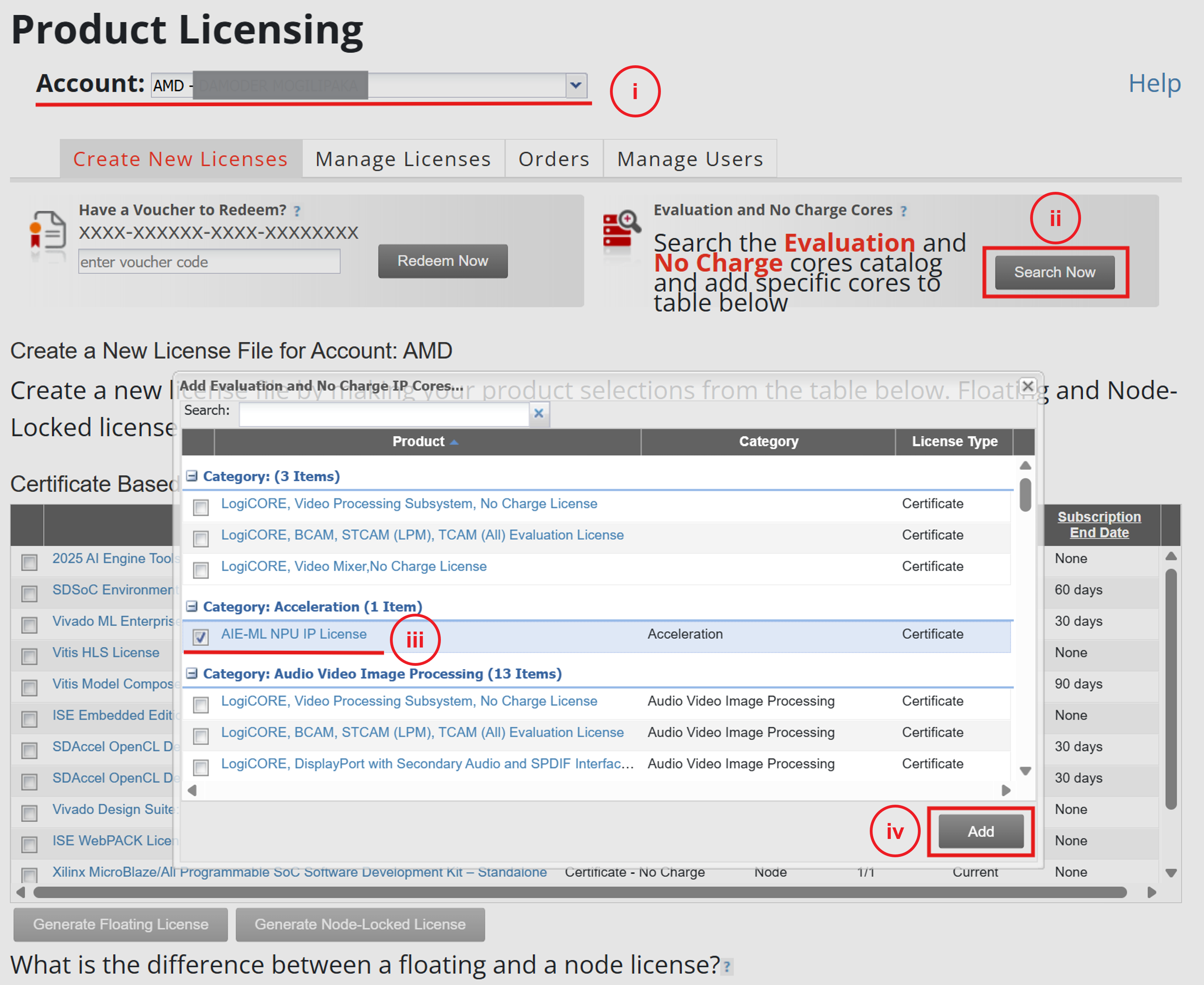
Locate and select the AIE-ML NPU IP License product, then download the license file.
Following is the reference snapshot to obtain the license.
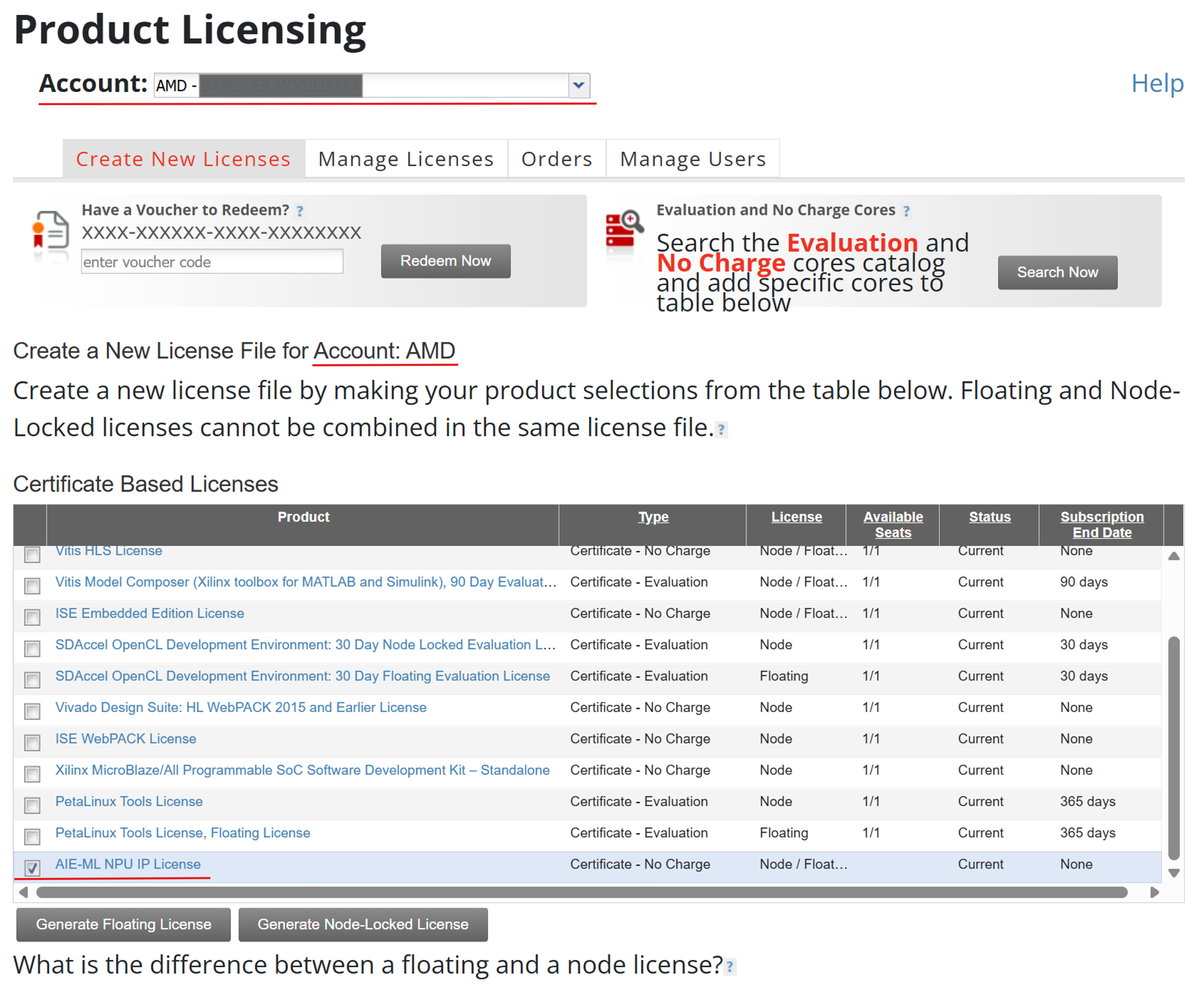
Install the license on your build machine.
Note
If the NPU IP license is not obtained or installed, you receive the following synthesis error:
Fatal Error. License Check failed for secure IP for feature 'npu_aieml@2024.06'.
Exiting Synthesis.
License Check diagnostics:
The license feature npu_aieml@2024.06 could not be found.,
No such feature exists.
Contact vitis_ai@amd.com if you get any issues while downloading the NPU IP license.