Partitioning#
This section is comprised of two pages: Summary and Graph.
Summary#
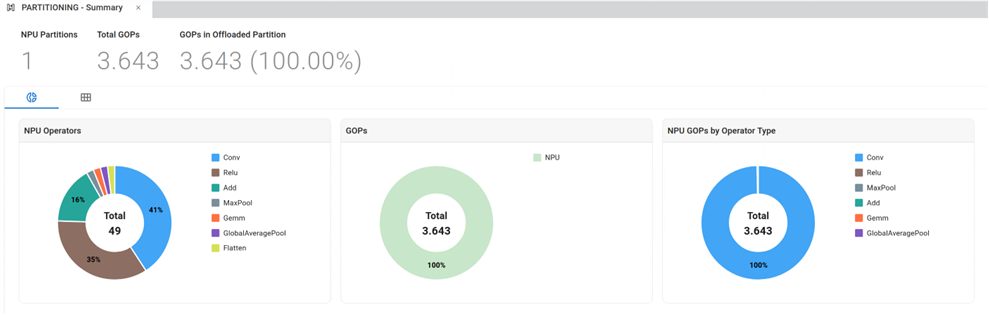
The Summary page gives an overview of how the model’s operators have been assigned to AMD Vitis™ AI CPU and NPU along with charts capturing GigaOp (GOP) offloading by operator type.
There is also a table titled “CPU Because” that shows the reasons why certain operators were not offloaded to the NPU.
Graph#
The Graph page shows an interactive diagram of the partitioned ONNX model, showing graphically how the layers are assigned to the hardware.
Toolbar#
You can choose to show or hide individual NPU partitions, if any, with the “Filter by Partition” button.
You can show or hide a panel that displays properties for selected objects through the “Show Properties” toggle button.
You can show or hide the model table through the “Show Table” toggle button.
You can show or hide the Processor, Partition, Instance Name through the “Filter Graph” toggle button.
Filter Graph#
Show Processor: separates operators that run on CPU and NPU respectively.
Show Partition: separates operators running on the NPU by their respective NPU partition, if any.
Show Instance Name: displays the full hierarchical name for the operators in the ONNX model.
All objects in the graph have properties that can be viewed to the right of the graph.
Model Table#
This table following the graph lists all objects in the partitioned ONNX model:
Processor (NPU or CPU)
Function (Layer)
Operator
Ports
NPU Partitions